Getting Started
In this section, the implementation steps to achieve and ensure a complete integration into your Point of Sale software are described.
note
Currently the digital receipt can only be implemented into existing middleware integrations. An own standalone digital receipt API is not available yet.
This high level overview shows you the implementation and configuration steps, who are required for the digital receipt via QR-Code, Give-Away (QR-Label) and the InStore App.
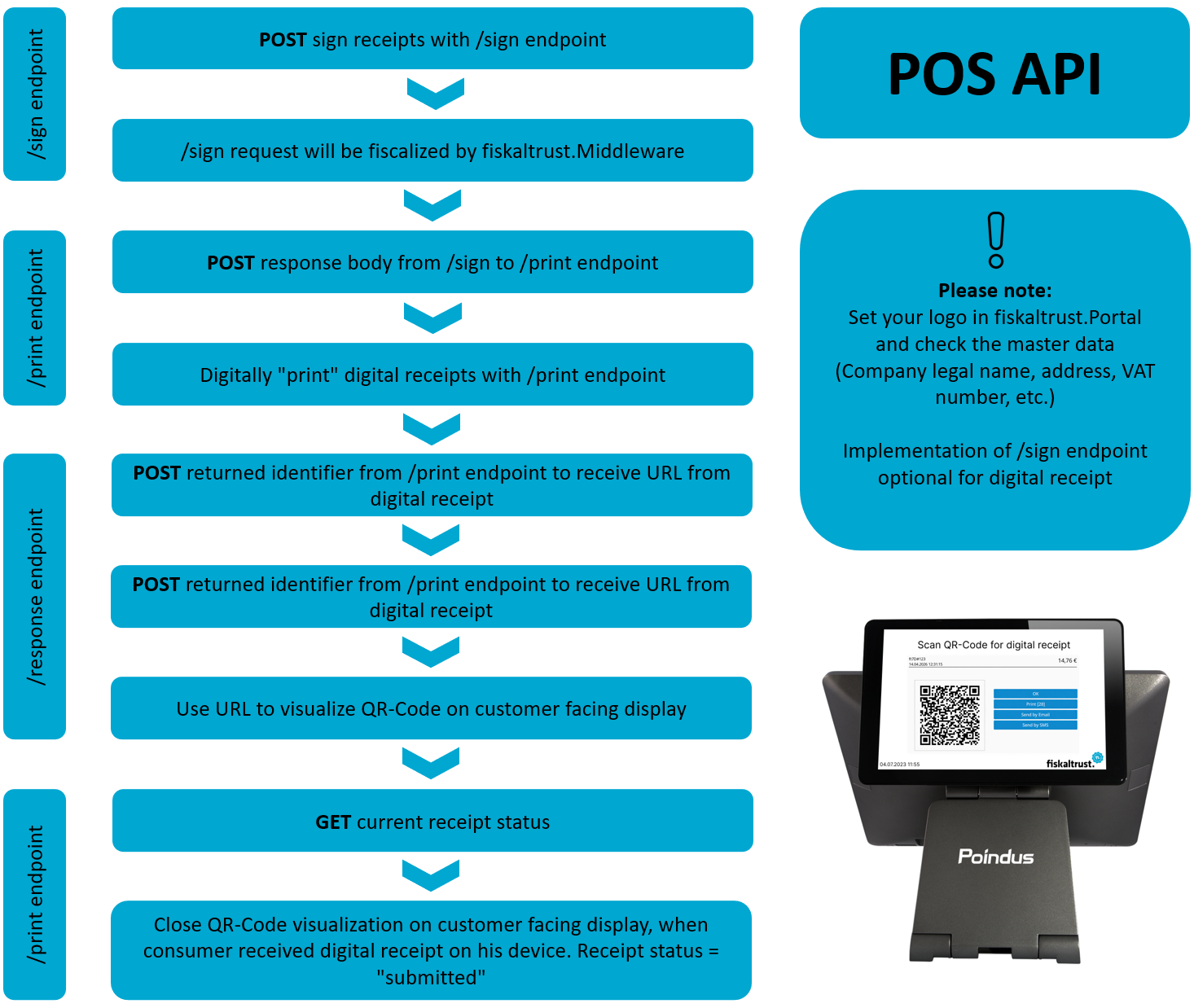
Figure 1. High-level implementation and configuration steps for the digital receipt via QR-Code.
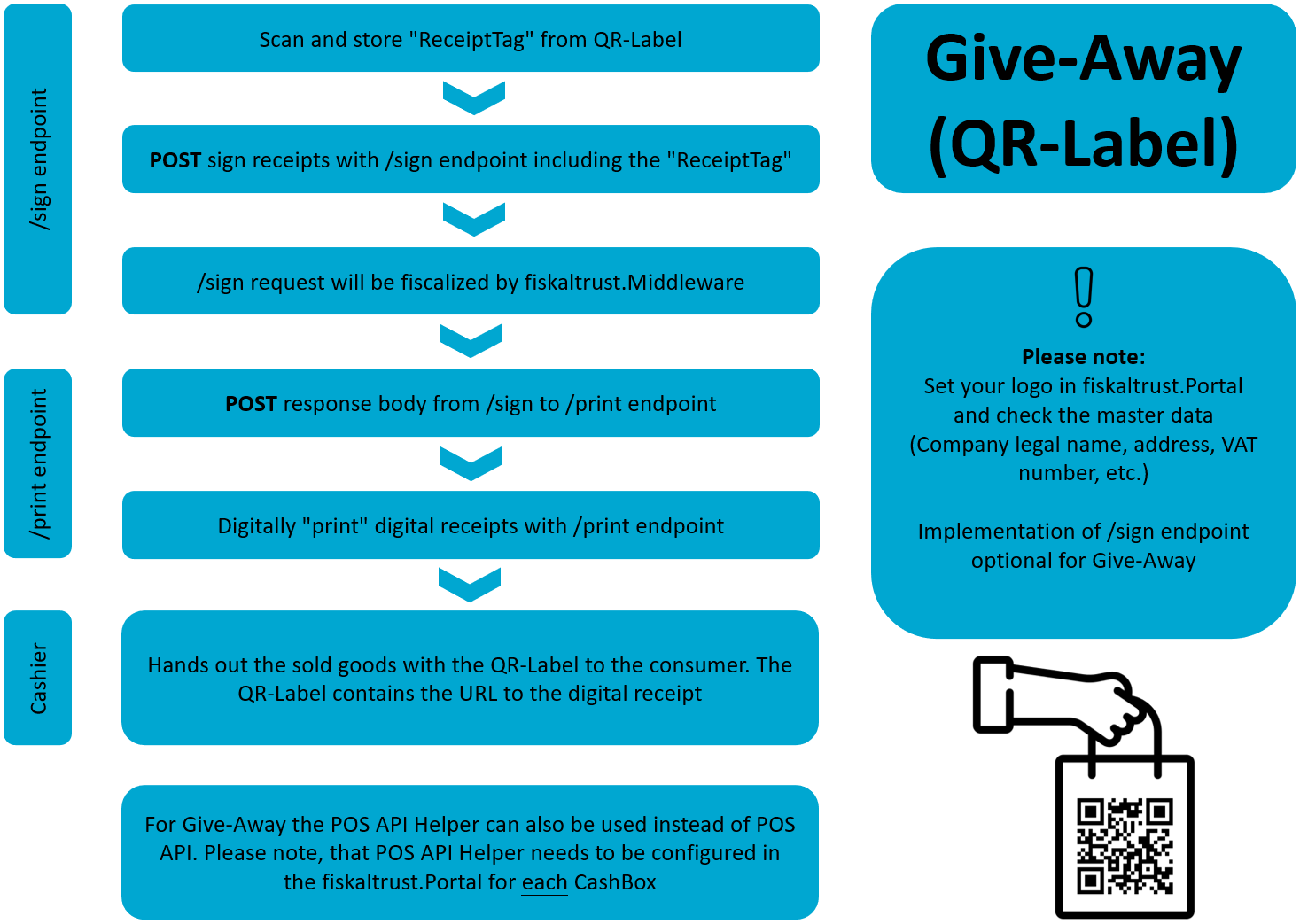
Figure 2. High-level implementation and configuration steps for the digital receipt via Give-Away (QR-Label).